Adding Bluetooth to a Linux desktop or upgrading an unreliable wireless connection is often as simple as choosing the right USB adapter. The challenge is separating genuinely Linux-friendly options from models whose advertised features depend on Windows-only drivers.
We selected 10 Bluetooth adapters for Linux across compact nano dongles, longer-range Class 1 models, and newer Bluetooth generations. The guide below focuses on compatibility, practical range, device support, and setup considerations that matter in real Linux systems.
Best 10 Bluetooth Adapters for Linux Picks for 2026
Best Compact Pick
Cudy BU530 Nano Bluetooth Adapter

- Bluetooth 5.3 connectivity
- Tiny 2 g USB-A design
- Supports Linux with manual driver installation
Best For: Portable Linux setups and space-constrained USB-A computers
Best Plug-and-Play Linux Pick
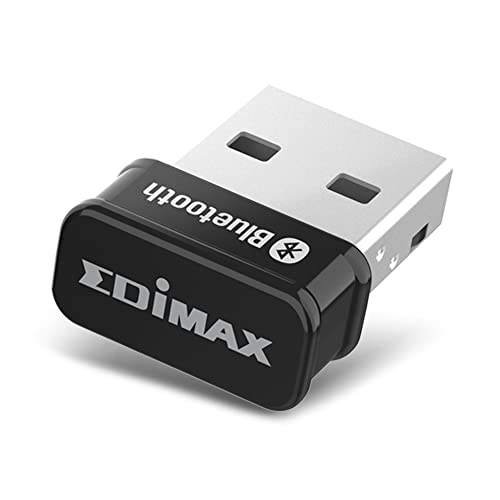
- Plug-and-play on Linux kernel 5.8+
- Supports Mint 21
- Tiny Bluetooth 5.0 USB 2.0 design
Best For: Linux Mint 21 and newer-kernel systems
Best Class 1 Pick
StarTech Bluetooth 5.3 USB Adapter

- Class 1 range up to 328 feet in open environments
- Supports Linux Kernel 5.19.0+
- Includes A2DP and PAN networking support
Best For: Supported Linux systems needing longer-range audio or networking
Linux-Friendly Classic
Panda Bluetooth 4.0 Nano Adapter

- Explicit Linux support across several distributions
- Bluetooth 4.0 with LE and EDR
- Up to 80-foot range with compatible Smart devices
Best For: Basic Linux peripheral and smartphone connections
Windows-Only Value Pick
UGREEN Bluetooth 5.3 USB Adapter

- Bluetooth 5.3 with BR, EDR, and BLE
- Connects up to five devices on supported Windows PCs
- Not compatible with Linux or macOS
Best For: Windows 8.1, 10, and 11 desktop or laptop users
Newest Linux Option
ASUS USB-BT600 Bluetooth 6.0 Adapter

- Bluetooth 6.0 with energy-saving BLE
- Linux and Windows 10/11 compatibility listed
- Supports up to seven connected devices
Best For: Linux users wanting newer Bluetooth and multi-device support
Best Linux-Compatible Pick

- Explicit Linux and Raspberry Pi support
- Up to 65 feet / 20 meters of range
- Low-energy Bluetooth 4.0 design
Best For: Linux desktops, Raspberry Pi, and everyday Bluetooth peripherals
Windows Performance Pick

- Bluetooth 5.4 with EDR and BLE
- Connects up to five devices
- Plug-and-play on supported Windows versions
Best For: Windows 11, 10, and 8.1 desktops and laptops
Multi-Device Windows Pick

- Bluetooth 6.0 dual-mode connectivity
- Supports up to seven devices
- Up to 30 meters of advertised range
Best For: Windows users with multiple Bluetooth peripherals
Best Compact Pick – Cudy BU530 Nano Bluetooth Adapter
The Cudy BU530 is a practical choice for shoppers seeking Bluetooth adapters for Linux in a very small USB-A form factor. It provides Bluetooth 5.3 connectivity for headphones, speakers, keyboards, mice, and other compatible accessories, though Linux users should plan on manual driver installation.
Best For: Linux users who want a lightweight, highly portable adapter for a USB-A desktop or laptop.
Pros:
- Bluetooth 5.3 supports faster transfers, lower latency, and extended wireless reach with compatible devices.
- Compact 20 × 15 × 8 mm design weighs only 2 g.
- Supports Windows 11, 10, 8.1, and 7, as well as Linux.
Cons:
- Requires a USB-A port and USB 2.0 or higher for full-speed performance.
- Linux and older Windows versions require manual driver installation.
The BU530 is an easy fit for travel kits and crowded desktops. Its main advantage is portability, while users who prioritize long-range reception may prefer an adapter with a larger adjustable antenna.
Best Long-Range Pick – TP-Link UB500 Plus Bluetooth Adapter
The TP-Link UB500 Plus stands out among Bluetooth adapters for Linux shoppers who value reception flexibility. Its Bluetooth 5.3 support, EDR, and adjustable multi-direction antenna are designed for broader coverage, although the supplied compatibility information focuses on Windows rather than Linux.
Best For: Windows desktop users who need an adjustable antenna and extended Bluetooth coverage.
Pros:
- Bluetooth 5.3 with EDR is backward compatible with Bluetooth versions 1.1 through 4.2.
- Adjustable antenna can be positioned for improved reception in different environments.
- Plug-and-play support is listed for Windows 8.1, 10, and 11, with Windows 7 driver support.
- Supports Bluetooth Low Energy for power-conscious connections.
Cons:
- The supplied notes do not list Linux compatibility.
- Larger than nano adapters at 3.19 × 1.65 × 0.66 inches.
- Requires internet access for plug-and-play setup on supported Windows versions.
The UB500 Plus is a strong choice when antenna positioning matters more than minimal size. Linux buyers should verify current driver support before purchasing, since the provided specifications identify Windows operating systems only.
Best Plug-and-Play Linux Pick – Edimax BT-8500 Nano Adapter
The Edimax BT-8500 is one of the more straightforward Bluetooth adapters for Linux when used with a supported kernel. It offers Bluetooth 5.0, EDR, dual-mode Bluetooth, and plug-and-play support for Linux kernel 5.8 or newer and Mint 21.
Best For: Linux Mint 21 and newer-kernel users who want a tiny adapter with broad Bluetooth profile support.
Pros:
- Plug-and-play support is listed for Linux kernel 5.8 or above and Mint 21.
- Nano-sized USB 2.0 design minimizes space used on a computer.
- Bluetooth 5.0 and EDR support faster transfers than Bluetooth 4.2 while conserving energy.
- Supports dual-mode Bluetooth, BLE, audio, and multiple communication protocols.
Cons:
- Older Linux kernels from 2.6.32 to 5.8 require a driver, with support identified for Fedora and Ubuntu.
- Bluetooth 5.0 is an older standard than the Bluetooth 5.3 options in this roundup.
- USB 2.0 interface limits the connection format.
The BT-8500 is particularly appealing if your Linux distribution matches its listed plug-and-play support. Check the kernel and distribution requirements before buying, especially on older or less common Linux installations.
Best Class 1 Pick – StarTech Bluetooth 5.3 USB Adapter
The StarTech AV53C1 is a capable option for buyers comparing Bluetooth adapters for Linux, particularly those needing Class 1 range and support for audio or PAN networking. It supports Bluetooth 5.3, up to 2 Mbps transfer speeds, and Linux Kernel 5.19.0 or newer.
Best For: Linux users with a supported kernel who want long-range connectivity for audio, peripherals, or personal-area networking.
Pros:
- Class 1 Bluetooth provides up to 328 feet of range in open environments.
- Bluetooth 5.3 supports BDR/EDR, BLE, and transfer speeds up to 2 Mbps.
- Supports A2DP audio streaming and Bluetooth PAN networking.
- Listed as natively supported on Linux Kernel 5.19.0+ and Windows 7 through 11.
Cons:
- Linux support requires Kernel 5.19.0 or newer according to the supplied notes.
- Open-environment range claims may not represent performance through walls or interference.
- At 1.8 inches long, it is larger than nano-sized alternatives.
The AV53C1 is a good fit when range and feature coverage matter more than the smallest possible footprint. Its kernel requirement makes compatibility checking essential for Linux installations.
Linux-Friendly Classic – Panda Bluetooth 4.0 Nano Adapter
For shoppers comparing bluetooth adapters for linux, the Panda Bluetooth 4.0 USB Nano Adapter is a straightforward option with explicitly listed compatibility for Linux distributions including Mint, Ubuntu, Fedora, openSUSE, Lubuntu, Zorin, Kali Linux, and others. Its compact USB design supports Bluetooth 4.0, including Low Energy and Enhanced Data Rate connections.
Best For: Linux users connecting keyboards, smartphones, and other consumer Bluetooth devices.
Pros:
- Explicitly supports Linux alongside Windows.
- Bluetooth 4.0 includes LE and EDR functionality.
- Listed operating range reaches up to 80 feet with a Bluetooth Smart device.
- Nano form factor is suitable for compact setups.
Cons:
- Uses an older Bluetooth 4.0 standard rather than a newer version.
- The supplied details do not specify support for every Linux distribution or setup.
The Panda adapter stands out when Linux compatibility is more important than having the newest Bluetooth specification. It is a practical, established choice for basic peripherals and smartphone connectivity.
Windows-Only Value Pick – UGREEN Bluetooth 5.3 USB Adapter
Although it may appear in searches for bluetooth adapters for linux, the UGREEN USB Bluetooth 5.3 Adapter is not suitable for Linux: the supplied specifications explicitly limit it to Windows 8.1, 10, and 11. For compatible Windows PCs, it offers Bluetooth 5.3, plug-and-play operation, and connections for up to five devices.
Best For: Windows 8.1, 10, or 11 users who need a compact adapter for mice, keyboards, headphones, or speakers.
Pros:
- Uses Bluetooth 5.3 BR, EDR, and BLE technology.
- Supports up to five connected Bluetooth devices.
- Plug-and-play operation is listed for Windows 8.1, 10, and 11.
- Compact design leaves neighboring USB ports less obstructed.
Cons:
- Linux, macOS, Windows 7, consoles, TVs, and cars are not supported.
- It is a receiver only and cannot be used as a transmitter.
- Only one Bluetooth audio device of the same type can play music at a time.
This is a capable compact Windows dongle, but it should be excluded from a Linux-focused shortlist. The explicit Linux incompatibility is the deciding factor for this roundup keyword.
Newest Linux Option – ASUS USB-BT600 Bluetooth 6.0 Adapter
For shoppers seeking bluetooth adapters for linux with a newer specification, the ASUS USB-BT600 lists support for Linux and Windows 10/11 while adding Bluetooth 6.0 and Bluetooth Low Energy. Its ultra-compact USB design supports up to seven device connections and is backward compatible with previous Bluetooth versions.
Best For: Linux or Windows 10/11 desktop and laptop users who want newer Bluetooth support and multiple connected devices.
Pros:
- Lists compatibility with Linux and Windows 10/11.
- Uses Bluetooth 6.0 with energy-saving BLE connectivity.
- Supports up to seven simultaneous device connections.
- Ultra-small design improves portability.
Cons:
- Windows support is limited to Windows 10 and 11 in the supplied details.
- The notes do not identify specific supported Linux distributions.
- The adapter uses a USB 2.0 Type-A interface.
The USB-BT600 is the most forward-looking option here for buyers who want listed Linux support plus Bluetooth 6.0. Its seven-device capacity also makes it appealing for crowded desktop or laptop setups.
Best Linux-Compatible Pick – Hideez Bluetooth 4.0 Adapter
If you need bluetooth adapters for linux, the Hideez USB Bluetooth Adapter is one of the few options here explicitly listed as compatible with Linux. Its Bluetooth 4.0 Low Energy design supports common peripherals, while the advertised range reaches up to 65 feet or 20 meters when paired devices support it.
Best For: Linux desktops, Raspberry Pi systems, and users connecting mice, keyboards, headphones, speakers, printers, or other Bluetooth peripherals.
Pros:
- Explicitly supports Linux, Windows, macOS, ChromeOS, and Raspberry Pi.
- Bluetooth Low Energy helps reduce power consumption.
- Advertised wireless range of up to 65 feet or 20 meters.
- Compact 4-gram USB adapter with a 12-month limited warranty.
Cons:
- Not compatible with PS5, PS4, Xbox, or Logitech MX devices.
- Not designed for iMac Retina or Hackintosh systems and may not work with KVM switches.
- Its listed Bluetooth 4.0 specification is older than the newer adapters in this roundup.
The Hideez is the most relevant choice for this roundup because Linux compatibility is explicitly stated. Check your intended device and setup carefully before buying, especially if you use a restricted system configuration or specialized peripherals.
Windows Performance Pick – UGREEN Bluetooth 5.4 Dongle
Although it may appear in searches for bluetooth adapters for linux, this UGREEN dongle is expressly designed for Windows and is not compatible with Linux or macOS. For Windows 11, 10, or 8.1 users, Bluetooth 5.4, EDR, and BLE provide a current feature set for connecting several everyday devices.
Best For: Windows users who want to connect up to five Bluetooth devices, such as a keyboard, mouse, phone, headphones, or speakers.
Pros:
- Bluetooth 5.4 supports both classic BR/EDR and Bluetooth Low Energy.
- Can connect up to five different Bluetooth devices simultaneously.
- Plug-and-play operation on Windows 11, 10, and 8.1 without driver installation.
- Backward compatible with earlier Bluetooth versions including 5.3 and 5.0.
Cons:
- Not compatible with Linux, macOS, Windows 8, or Windows 7.
- Only one Bluetooth audio device of the same type can play music at a time.
- Requires existing Bluetooth devices on the computer to be disabled before use.
This is a capable modern adapter for supported Windows systems, but it should not be selected for a Linux computer. Confirm your operating system and remove or disable built-in Bluetooth hardware if the installation instructions require it.
Multi-Device Windows Pick – ORICO Bluetooth 6.0 Adapter
The ORICO BTA-60 offers Bluetooth 6.0, dual-mode EDR and BLE, and a claimed range of up to 30 meters. However, shoppers comparing bluetooth adapters for linux should note that this model is explicitly limited to Windows 8.1, 10, and 11, with no Linux or macOS compatibility.
Best For: Windows users who need to connect several mixed Bluetooth peripherals, including headphones, keyboards, mice, smartphones, speakers, printers, and game controllers.
Pros:
- Bluetooth 6.0 dual-mode technology with backward compatibility from Bluetooth 2.0 through 5.4.
- Supports up to seven connected Bluetooth devices simultaneously.
- Advertised transmission speed of up to 3 Mbps and range of up to 30 meters.
- Compact 3-gram design that does not block adjacent USB ports.
Cons:
- Not compatible with Linux or macOS.
- Windows 7 requires driver installation, while listed plug-and-play support targets Windows 8.1/10/11.
- Only one audio device of the same type can play audio at a time.
The ORICO is appealing for Windows setups that use many peripherals and value a small adapter. It is not a suitable Linux purchase, so verify the host operating system before prioritizing its newer Bluetooth version and seven-device capacity.
How We Picked These Bluetooth Adapters for Linux
We evaluated this roundup around the factors that most affect day-to-day use: Linux compatibility, Bluetooth generation, supported profiles, USB design, advertised range, and the likelihood of working without proprietary software. We also included options for different needs, from keyboards and mice to headphones, game controllers, Raspberry Pi projects, and multi-device workstations.
Bluetooth version numbers are useful, but they do not guarantee better performance by themselves. Antenna design, USB placement, interference, kernel support, and the connected device can matter just as much. Product listings can also vary by revision, so check the manufacturer’s current specifications before buying.
Quick Comparison
| Priority | Best type to consider | What to look for |
|---|---|---|
| Smallest footprint | Nano USB adapter | Low-profile design and broad Linux support |
| Longer range | Class 1 adapter | External antenna or clearly stated extended range |
| Modern peripherals | Bluetooth 5.3 or newer | BLE support and current kernel compatibility |
| Raspberry Pi or compact systems | Low-energy adapter | Linux, Raspberry Pi, and USB power compatibility |
| Headphones and speakers | Adapter with audio profile support | A2DP support and stable power management |
Key Buying Factors for Bluetooth Adapters for Linux
Linux and Kernel Support
Look for explicit Linux compatibility rather than relying only on Windows claims. Most USB Bluetooth adapters use the Linux Bluetooth stack, but chipset revisions can differ. A current distribution and kernel generally improve plug-and-play support. Before purchasing, check whether your distribution detects the adapter with lsusb and whether Bluetooth appears through BlueZ and your desktop’s settings.
Bluetooth Version and Profiles
Newer versions may improve efficiency, range, and support for modern low-energy accessories, but the connected device must support those capabilities too. For headphones, verify support for the audio profiles your setup needs. For keyboards, mice, sensors, and controllers, BLE support is often more important than maximum transfer speed.
Range, Interference, and Placement
Advertised range is measured under favorable conditions. Walls, metal cases, Wi-Fi congestion, and a USB 3.0 port can reduce reliability. If your desktop is under a desk or inside a cabinet, a short USB extension cable can move the adapter into a clearer position. Class 1 models may help, but both devices must support the required transmit power.
Size and Connection Capacity
Nano adapters are convenient for laptops and crowded ports, while larger or externally positioned models can provide better reception. If you plan to connect several peripherals, confirm the product’s stated device limit and remember that bandwidth and profile combinations can affect real-world performance.
Who Should Buy Which Bluetooth Adapters for Linux?
Choose a nano adapter if you want a discreet upgrade for a desktop or laptop and primarily use a keyboard, mouse, or occasional controller. Choose a longer-range or Class 1 model for a media PC, gaming setup, or computer positioned far from headphones and other accessories. Newer Bluetooth 5.3, 5.4, or 6.0 options make the most sense when you use current BLE devices and want a longer service life.
For Raspberry Pi, Linux desktop, or specialized distributions, prioritize explicit platform support and a proven chipset over headline speed. If you mainly need audio, confirm profile compatibility and place the adapter away from USB 3.0 interference. Finally, if your computer already has unreliable built-in Bluetooth, disable the internal radio when necessary and test the USB adapter with the exact devices you plan to use.