Moving video projects, photo libraries, game installations, and system backups requires more than a basic drive case. The right enclosure can improve transfer speeds, cooling, portability, and storage flexibility.
These 10 picks cover fast NVMe enclosures, multi-bay SATA storage, RAID-capable desktop units, and simple tool-free options. Use the guide below to match interface speed, drive format, capacity, and workflow.
Best 10 SSD Enclosures for Large Files Picks for 2026
Multi-Drive NVMe Powerhouse
TERRAMASTER D4 SSD 4-Bay NVMe Enclosure

- Four M.2 NVMe bays with up to 32TB capacity
- 40Gbps connectivity for demanding transfers
- Active cooling, tool-free access, and hot-swap support
Best For: 4K editing and large multi-drive file workflows
Versatile SATA Value
UGREEN 2.5/3.5-Inch Drive Enclosure

- Supports 2.5- and 3.5-inch SATA drives up to 20TB
- 5Gbps USB 3.0 with UASP support
- Plug-and-play design includes a 12V power adapter
Best For: Repurposing a single SATA drive for everyday storage
Next-Gen Speed
ACASIS 80Gbps M.2 NVMe SSD Enclosure

- 80Gbps interface with PCIe 5.0 SSD support
- Up to 6,000MB/s performance with suitable components
- 60W PD charging and automatic fan cooling
Best For: High-speed single-drive editing and content-creation workflows
Maximum SATA Capacity
Yottamaster PS500C3 5-Bay Enclosure

- Five bays support up to 110TB total
- Accepts 2.5- and 3.5-inch SATA drives
- USB-C, removable trays, and built-in cooling fan
Best For: Large archives and multi-disk SATA storage expansion
Premium Thunderbolt Choice

- Up to 7000 MB/s transfer speeds
- Supports M.2 NVMe drives up to 8TB
- Finned aluminum design aids cooling
Best For: High-speed large-file transfers on compatible Thunderbolt or USB4 systems
Best for Everyday Use
Cable Matters 10Gbps Drive Enclosure

- Fits 2.5-inch SATA SSDs and HDDs
- Tool-free aluminum enclosure
- Supports up to 10Gbps over USB-C
Best For: Backups and repurposing 2.5-inch SATA drives
Cooling-Focused Pick
Rosewill 40Gbps NVMe Enclosure
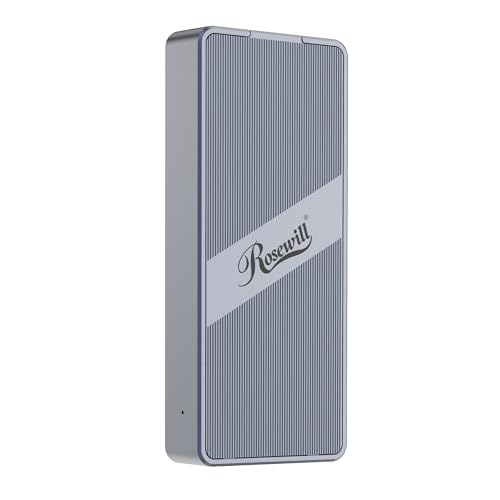
- Built-in fan supports sustained performance
- Up to 3187MB/s with compatible systems
- Supports M.2 NVMe drives up to 8TB
Best For: Sustained large-file transfers and mobile NVMe workflows
Best Multi-Drive Pick
UGREEN 5-Bay USB-C DAS Enclosure

- Five bays support up to 160TB total
- Eight RAID and storage modes
- Smart cooling with 5Gbps USB-C
Best For: Expanding desktop storage and managing multiple SATA drives
Best Fast Portable Pick

- 10Gbps USB-C connectivity
- Tool-free support for four M.2 sizes
- Aluminum cooling for sustained transfers
Best For: Portable high-speed storage using one NVMe SSD
Best Budget SATA Pick
SABRENT 2.5in USB 3.0 Enclosure

- Tool-free 2.5-inch SATA installation
- USB 3.0 supports up to 5Gbps
- UASP and plug-and-play compatibility
Best For: Reusing a single 2.5-inch SATA SSD or HDD
Multi-Drive NVMe Powerhouse – TERRAMASTER D4 SSD 4-Bay NVMe Enclosure
For demanding workflows involving large files, the TERRAMASTER D4 SSD provides four tool-free M.2 NVMe bays and USB-C connectivity rated up to 40Gbps. It can reach up to 3,224MB/s with four compatible SSDs, while its active cooling system helps manage sustained workloads.
Best For: 4K video editing, large file transfers, and users who need up to 32TB of multi-drive NVMe storage.
Pros:
- Supports four M.2 NVMe 2280 SSDs, up to 8TB each.
- Up to 40Gbps connectivity and reported speeds of up to 3,224MB/s with four SSDs.
- Temperature-controlled fans and four internal sensors support cooling during heavy use.
- Tool-free installation and hot-swappable drive access simplify maintenance.
Cons:
- It has no built-in hardware RAID; RAID requires third-party software.
- It requires separate M.2 NVMe SSDs because the enclosure is diskless.
The D4 is a strong choice when capacity and multi-drive flexibility matter more than a simple one-disk setup. Its lack of built-in RAID should be considered before purchase.
Versatile SATA Value – UGREEN 2.5/3.5-Inch Drive Enclosure
The UGREEN external enclosure is a practical option for moving large files from a 2.5- or 3.5-inch SATA HDD or SSD. Its USB 3.0 connection supports transfers up to 5Gbps, with UASP support and a supplied 12V power adapter for stable operation.
Best For: Adding an existing SATA drive to a computer, game console, router, or TV without installing it internally.
Pros:
- Supports 2.5- and 3.5-inch SATA HDDs and SSDs up to 20TB.
- USB 3.0 and UASP provide up to 5Gbps transfer speeds.
- Tool-free plug-and-play setup works with Windows, macOS, and Linux systems.
- Rubber strips, ABS construction, and ventilation holes provide basic protection and cooling.
Cons:
- Its 5Gbps USB interface is slower than newer USB4 and Thunderbolt enclosures.
- It supports one drive at a time.
- Users must safely eject the drive before unplugging to help avoid data loss.
Choose this enclosure when affordable compatibility with an existing SATA drive is the priority. It is less suitable for the fastest professional large-file workflows, but its broad device support is useful.
Next-Gen Speed – ACASIS 80Gbps M.2 NVMe SSD Enclosure
The ACASIS TB501 Max targets users who regularly move large files and need high external-storage performance. Its 80Gbps interface supports PCIe 5.0 SSDs and read/write speeds up to 6,000MB/s, while 60W power delivery can charge a compatible laptop through the same connection.
Best For: High-performance laptops and workstations used for content creation, gaming, and sustained large-file transfers.
Pros:
- 80Gbps connectivity supports Thunderbolt 5 and USB4 V2.0 devices.
- Supports PCIe 5.0 SSDs and speeds up to 6,000MB/s with suitable hardware.
- 60W PD can provide laptop charging while the enclosure is connected.
- Tool-free installation and an automatic cooling fan simplify setup and heat management.
Cons:
- It is not compatible with Thunderbolt 3 devices.
- Exceeding 3,000MB/s requires a compatible PCIe 4.0 x4 NVMe SSD or higher.
- It holds one M.2 NVMe SSD.
This is the most performance-focused option here, provided the host device, cable, and SSD can support its higher speeds. Check compatibility carefully, especially if your system uses Thunderbolt 3.
Maximum SATA Capacity – Yottamaster PS500C3 5-Bay Enclosure
For archiving and managing very large files across multiple SATA drives, the Yottamaster PS500C3 offers five removable bays and up to 110TB of total capacity. Its USB-C interface reaches up to 5Gbps, while the aluminum enclosure and 80mm fan help move heat away from installed drives.
Best For: Video archives, duplicated footage, digital imaging, and expanding desktop storage with multiple 2.5- or 3.5-inch SATA drives.
Pros:
- Five bays support up to 22TB per drive and 110TB total capacity.
- Accepts both 2.5- and 3.5-inch SATA HDDs and SSDs.
- Removable trays and a front PUSH latch make drive replacement straightforward.
- Aluminum construction, ventilation openings, and an 80mm fan support cooling.
Cons:
- This PS500C3 model has no hardware RAID and supports five individual disks.
- Its USB 3.1 Gen 1 connection is limited to 5Gbps, with SSD speeds listed up to 260MB/s.
- Total drive power consumption must remain within the supplied 78W adapter’s limit.
The PS500C3 emphasizes capacity and drive count rather than top-end transfer speed. It is a sensible large-file storage expansion for users comfortable managing separate disks or configuring software RAID.
Premium Thunderbolt Choice – UGREEN 80Gbps NVMe Enclosure
For users comparing ssd enclosures for large files, this UGREEN model is built for high-speed M.2 NVMe transfers. Its dual-chip design supports up to 80Gbps and up to 8TB of storage, while the finned aluminum cooling structure helps manage heat during demanding workloads.
Best For: Mac mini users and professionals moving very large files with compatible Thunderbolt, USB4, or USB-C systems.
Pros:
- Supports transfer speeds up to 7000 MB/s with its Intel and JMicron controller design.
- Three-dimensional aluminum cooling design improves heat dissipation and airflow.
- Supports M.2 2230, 2242, 2260, and 2280 NVMe SSDs up to 8TB.
Cons:
- SSD is not included.
- Does not support SATA, NGFF, or mSATA drives.
- Pre-installed heatsinks and some thicker SSDs may not fit.
This is the speed-focused option of the group, especially for compatible Thunderbolt 5, 4, or 3 and USB4 setups. Confirm your SSD dimensions and interface before buying.
Best for Everyday Use – Cable Matters 10Gbps Drive Enclosure
If your large files are stored on a 2.5-inch SATA drive, this Cable Matters enclosure offers a practical alternative to NVMe-only models. It supports SATA SSDs and HDDs up to 9.5mm in a tool-free aluminum housing, with USB-C connectivity and transfer rates up to 10Gbps.
Best For: Backups, drive upgrades, and reusing 2.5-inch SATA SSDs or hard drives with USB-C computers.
Pros:
- Works with 2.5-inch SATA SSDs and HDDs, including 7mm and 9.5mm drives.
- Supports USB 3.1 transfer rates up to 10Gbps and the SATA III 6Gbps limit.
- Tool-free design with an aluminum housing for protection and heat dissipation.
- Supports UASP, TRIM, and S.M.A.R.T. with compatible systems.
Cons:
- Not compatible with M.2 NVMe SSDs.
- Its 10Gbps interface is slower than the faster NVMe enclosure options here.
This is the sensible choice when drive compatibility and value matter more than maximum NVMe performance. It is also useful for diagnosing or repurposing internal SATA drives.
Cooling-Focused Pick – Rosewill 40Gbps NVMe Enclosure
For sustained transfers of large files, the Rosewill RNE-01 combines a 40Gbps interface with an integrated cooling fan and vented design. It supports M.2 NVMe SSDs from 2230 through 2280 sizes, capacities up to 8TB, and read/write speeds up to 3187MB/s when paired with compatible hardware.
Best For: Mobile professionals who need sustained NVMe performance across Thunderbolt, USB4, or compatible USB systems.
Pros:
- Built-in fan and vent design support up to four hours of full-speed operation.
- ASM2464PD controller supports Thunderbolt 3/4, USB4, and common M.2 NVMe drives.
- Supports M.2 2230, 2242, 2260, and 2280 SSDs up to 8TB.
- Compact metal enclosure includes a transparent back plate.
Cons:
- SSD is not included.
- Maximum speeds depend on the computer and installed SSD.
- Its listed top speed is below the 80Gbps UGREEN model.
The active cooling makes this a strong middle ground for repeated large-file transfers. Choose it when sustained performance is more important than having the fastest available interface.
Best Multi-Drive Pick – UGREEN 5-Bay USB-C DAS Enclosure
For buyers comparing SSD enclosures for large files, the UGREEN 5-Bay USB-C DAS stands out when one drive is not enough. It accepts up to five 2.5- or 3.5-inch SATA HDDs or SSDs, supports up to 160TB total, and offers multiple RAID and storage modes for different workflows.
Best For: Multi-drive storage expansion, backups, and large-file workflows that benefit from RAID flexibility.
Pros:
- Supports five SATA drives and up to 160TB total capacity.
- Offers eight modes, including independent, RAID, Large, and Clone modes.
- USB-C connectivity works with Windows, macOS, Linux, and compatible NAS devices.
- Aluminum housing and automatic fan control help manage heat during multi-drive use.
Cons:
- Its 5Gbps USB-C interface is slower than 10Gbps enclosures.
- Changing RAID modes requires reformatting, so data must be backed up first.
- The drives cannot be added to or managed as part of a NAS storage pool.
This is the most expandable option here for users managing several drives or large archives. Its RAID choices add flexibility, but the setup is better suited to a desk than to highly portable use.
Best Fast Portable Pick – SABRENT USB-C NVMe Enclosure
For SSD enclosures for large files that prioritize speed and portability, this SABRENT model pairs an M.2 NVMe drive with a 10Gbps USB-C connection. Its tool-free flip-open design makes it convenient for upgrades, cloning, troubleshooting, and moving demanding workloads between compatible devices.
Best For: Portable NVMe storage, long file transfers, creators, gamers, and upgrade work.
Pros:
- USB 3.2 Gen 2 supports transfer speeds up to 10Gbps.
- Tool-free design accepts M.2 NVMe drives in 2230, 2242, 2260, and 2280 sizes.
- Aluminum construction and a thermal pad help transfer heat from the SSD.
- Requires no external power or drivers and works with USB-C devices.
Cons:
- Supports NVMe drives only, not M.2 SATA SSDs.
- It accommodates one SSD rather than multiple drives.
- Actual performance depends on the installed SSD and host connection.
This enclosure is a strong fit when a single NVMe SSD is enough and faster transfers matter more than capacity expansion. Its compact, tool-free design also makes drive swaps less cumbersome.
Best Budget SATA Pick – SABRENT 2.5in USB 3.0 Enclosure
If you need a straightforward option for SSD enclosures for large files, the SABRENT EC-UASP converts a standard 2.5-inch SATA SSD or notebook hard drive into external storage. Its tool-free installation and USB 3.0 support keep the setup simple for file transfers, drive reuse, and backups.
Best For: Reusing a 2.5-inch SATA SSD or HDD as a simple portable external drive.
Pros:
- Tool-free design makes drive installation quick.
- USB 3.0 supports transfers up to 5Gbps and remains compatible with USB 2.0 and 1.1.
- Supports UASP SATA III and plug-and-play operation without drivers.
- Works with Windows and Mac systems.
Cons:
- It supports one 2.5-inch SATA drive only.
- The plastic enclosure is less focused on cooling than aluminum designs.
- USB 2.0 connections reduce speeds to up to 480Mbps.
This is the practical choice for older 2.5-inch SATA drives and uncomplicated external storage. It lacks the capacity and interface speed of the other picks, but its broad backward compatibility and easy installation are useful for basic file handling.
How We Picked the Best SSD Enclosures for Large Files
We focused on enclosures that are practical for sustained transfers rather than short benchmark bursts. Our selection considers interface bandwidth, drive compatibility, cooling, build quality, power requirements, portability, and expansion options. The list includes single-drive NVMe and SATA models as well as multi-bay direct-attached storage units for users handling several terabytes.
Advertised speeds depend on the installed SSD, host port, cable, file sizes, thermal conditions, and operating system. A 40Gbps or 80Gbps enclosure does not guarantee those rates in every setup, so confirm that your computer supports the required USB4, Thunderbolt, or USB-C standard.
Quick Comparison
- Fastest NVMe-focused options: ACASIS, UGREEN 80Gbps, and Rosewill models are suited to very large files and demanding workflows when paired with compatible host hardware.
- High-capacity multi-drive storage: TERRAMASTER, Yottamaster, and UGREEN five-bay or four-bay units are better for consolidating multiple SATA or NVMe drives.
- Simple SATA expansion: UGREEN’s SATA enclosure, Cable Matters, and SABRENT models offer straightforward external access for 2.5-inch or 3.5-inch drives.
- Portable NVMe access: The SABRENT 10Gbps reader-style enclosure is a compact choice for travel, transfers, and spare M.2 drives.
Key Buying Factors for SSD Enclosures for Large Files
Interface and Real-World Speed
For occasional backups, 10Gbps USB-C is often sufficient. Large video files, disk images, and active editing libraries benefit from 20Gbps, 40Gbps, USB4, or Thunderbolt-compatible hardware. Check both the enclosure and the computer port; the slower connection sets the ceiling.
Drive Format and Compatibility
M.2 NVMe drives require an NVMe enclosure and are not interchangeable with M.2 SATA drives unless explicitly supported. SATA enclosures may accept 2.5-inch SSDs and HDDs, while 3.5-inch drives usually need external power. Multi-bay models can provide more capacity but occupy more desk space.
Cooling and Sustained Workloads
Large transfers can expose thermal throttling. Look for aluminum bodies, thermal pads, ventilation, or an active fan if you regularly write hundreds of gigabytes. A fan-cooled design may be preferable for sustained workloads, though it can add noise.
Power, RAID, and Usability
Bus-powered enclosures are convenient for laptops, but multi-drive units generally require a wall adapter. RAID modes can improve redundancy or capacity, but RAID is not a backup. Verify supported RAID levels, drive-mixing rules, cable quality, and whether the enclosure is tool-free.
Who Should Buy Which SSD Enclosures for Large Files?
Choose a high-speed NVMe enclosure if you edit media directly from an external drive, move large project folders frequently, or need quick scratch storage. Choose a multi-bay DAS if your priority is centralized capacity, several existing drives, or configurable RAID. Choose a basic SATA enclosure for inexpensive access to a 2.5-inch SSD, laptop drive, or archival HDD. Before buying, confirm drive size, host-port compatibility, included power supply, and the maximum supported capacity. For critical files, maintain a separate backup regardless of enclosure type.