Choosing the right backup drive can save you time, money, and stress when files matter most. The best option depends on whether you want a compact portable drive or a high-capacity desktop model.
Below, we break down the best picks for everyday backups, large media libraries, and more secure storage setups so you can choose with confidence.
Best 10 External Hard Drives for Backups Picks for 2026
Portable Everyday Backup Pick
Seagate 2TB Portable Hard Drive

- 2TB portable drive with USB 3.0
- Windows and Mac compatibility
- Plug-and-play backup with no software required
Best For: Simple, portable backups for basic everyday file protection
High-Capacity Desktop Backup Choice
WD 20TB Elements Desktop Drive

- 20TB desktop external hard drive
- USB 3.0 plug-and-play for Windows
- Mac use requires reformatting
Best For: Large backup archives on a desktop setup
Secure Portable Backup Option

- Backup software with ransomware defense
- Password protection and hardware encryption
- Slim portable design with USB 3.1/3.0 support
Best For: Portable backups with stronger security features
Desktop Hub Backup Pick

- 8TB desktop backup drive with USB 3.0
- Two extra USB 3.0 ports for accessories
- Includes Rescue Data Recovery Services
Best For: Desktop users who want backup storage plus extra USB ports
Compact Backup Pick
WD Elements 2TB Portable External Hard Drive

- 2TB portable drive for simple backup storage
- USB 3.2 Gen 1 / USB 3.0 plug-and-play setup
- Works with PC and Mac per the listing
Best For: People who want a small, easy backup drive for everyday files
Desktop Backup Workhorse
Seagate Backup Plus 5TB Desktop Drive

- 5TB desktop drive with lots of backup space
- One-click and scheduled backup support
- USB 3.0 with PC and Mac interoperability
Best For: People who want a high-capacity desktop drive with backup software support
Portable Mid-Capacity Choice
WD Elements 4TB Portable External Hard Drive

- 4TB portable drive with a compact 2.5-inch form factor
- USB 3.2 Gen 1 / USB 3.0 plug-and-play connectivity
- Compatible with Mac and PC per the listing
Best For: Users who want a portable 4TB backup drive with easy compatibility
Ransomware-aware portable backup

- 5TB portable drive with slim 2.5-inch design
- Backup software includes ransomware defense
- Password protection and hardware encryption
Best For: Compact, security-minded backups
Auto-backup portable pick
Seagate Backup Plus Portable 4TB
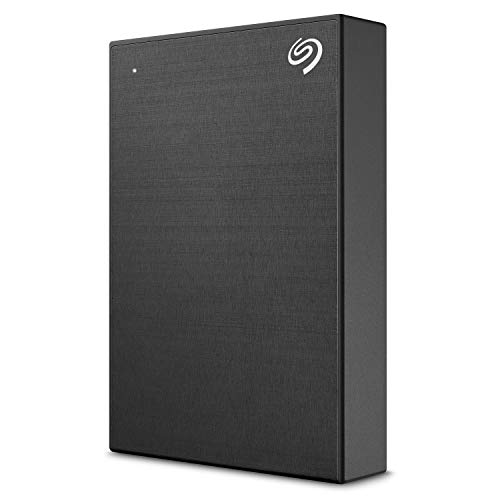
- 4TB portable drive with USB 3.0
- One-click and scheduled backup options
- Includes Rescue Data Recovery Services
Best For: Easy scheduled backups on PC or Mac
Security-first portable backup

- 4TB portable backup drive with USB 3.1/3.0 support
- Includes backup software with ransomware defense
- Password protection and hardware encryption
Best For: Portable backups with strong file protection
Portable Everyday Backup Pick – Seagate 2TB Portable Hard Drive
If you want a simple option among external hard drives for backups, this Seagate 2TB Portable Hard Drive keeps the process straightforward. It works with Windows or Mac, uses USB 3.0, and is designed for plug-and-play backup with no software required.
Best For: People who want a lightweight, carry-anywhere backup drive for basic file protection on Windows or Mac.
Pros:
- 2TB capacity in a compact portable design
- USB 3.0 connectivity with included 18-inch cable
- Automatic recognition and drag-and-drop backup simplicity
- Compatible with Windows and Mac computers
Cons:
- Smaller capacity than desktop backup drives
- No extra backup software included in the notes
Overall, this is a practical pick if you value easy setup and portability over maximum storage. It fits well as a straightforward backup drive for everyday files and travel use.
High-Capacity Desktop Backup Choice – WD 20TB Elements Desktop Drive
For users comparing external hard drives for backups and needing a lot of space, the WD 20TB Elements Desktop External Hard Drive is built around high-capacity storage and simple plug-and-play use for Windows PCs. It also supports Mac use after reformatting, making it a strong desktop option for large backup libraries.
Best For: Home or office users who need very large backup capacity on a desktop drive.
Pros:
- Massive 20TB storage capacity
- Plug-and-play ready for Windows PCs
- USB 3.0 connectivity for fast transfers
- Works with Mac after reformatting
Cons:
- Requires reformatting for MacOS use
- Desktop form factor is less portable than a slim external drive
This model makes sense when your priority is scale rather than portability. It is a straightforward choice for building a large backup archive at a desk.
Secure Portable Backup Option – WD My Passport 2TB
If security features matter in your search for external hard drives for backups, the WD My Passport 2TB adds password protection, hardware encryption, and included device management software with defense against ransomware. Its slim portable build also makes it easy to keep important files with you.
Best For: Users who want portable backup storage with added password protection and encryption.
Pros:
- Includes backup software with defense against ransomware
- Password protection and hardware encryption
- Slim, durable portable design
- USB 3.1/USB 3.0 compatible
Cons:
- 2TB capacity may be modest for larger media libraries
- Security features may be more than basic backup users need
This is a strong fit if you want backup convenience plus a layer of file protection. It balances portability with features that help safeguard personal data.
Desktop Hub Backup Pick – Seagate Backup Plus Hub 8TB
Among external hard drives for backups, the Seagate Backup Plus Hub 8TB stands out if you want a desktop drive that does more than store files. It offers two USB 3.0 ports for connecting accessories, works with Mac and Windows with the provided NTFS driver for Mac, and includes Rescue Data Recovery Services.
Best For: Users who want a desktop backup drive with extra USB ports and recovery support.
Pros:
- 8TB of desktop storage for larger backup needs
- Two USB 3.0 ports for charging or file transfer from accessories
- Compatible with Mac and Windows using the supplied NTFS driver for Mac
- Includes two-year limited warranty and Rescue Data Recovery Services
Cons:
- Desktop size is less convenient for travel
- Mac compatibility requires installing the provided NTFS driver
This drive is a good fit if you want backup storage plus desktop convenience features. It is especially useful for a shared workstation where extra ports and recovery support add value.
Compact Backup Pick – WD Elements 2TB Portable External Hard Drive
If you want external hard drives for backups that stay simple and travel well, the WD 2TB Elements Portable is a straightforward option. It offers plug-and-play storage over USB 3.2 Gen 1/USB 3.0 and keeps the design small enough for easy everyday carry.
Best For: Users who need a lightweight, no-fuss portable backup drive for basic file storage and transfer.
Pros:
- Portable design with a compact 2TB capacity
- USB 3.2 Gen 1 / USB 3.0 connectivity for simple plug-and-play use
- Works with both PC and Mac per the product details
- Includes the drive, USB 3.0 cable, and quick install guide
Cons:
- 2TB capacity may be limiting for larger backup libraries
- Mechanical drive design is less specialized than backup software-focused models
Overall, this is a practical pick if you want a portable external drive for backups without extra setup complexity. Its strength is simplicity: a compact enclosure, broad compatibility, and enough room for everyday documents, photos, and media.
Desktop Backup Workhorse – Seagate Backup Plus 5TB Desktop Drive
For external hard drives for backups where capacity matters more than size, the Seagate Backup Plus 5TB Desktop drive gives you a lot of room in a desktop form factor. It adds USB 3.0 connectivity plus backup-oriented software features that make routine protection of files more convenient.
Best For: Users who want a high-capacity desktop backup drive with scheduled and one-click backup options.
Pros:
- Large 5TB capacity for broad backup storage needs
- One-click backup and scheduled automatic backup support via Seagate Dashboard software
- USB 3.0 plug-and-play connectivity for PC use
- Can work between Windows and Mac with the NTFS driver installed
Cons:
- Desktop form factor is less portable than compact drives
- Mac use requires installing the NTFS driver
This drive makes sense if you want a bigger, more traditional backup hub on a desk. The combination of 5TB capacity and backup software features is useful for users who prefer a more organized, scheduled approach to protecting files.
Portable Mid-Capacity Choice – WD Elements 4TB Portable External Hard Drive
If you need external hard drives for backups and want a bit more room than a 2TB model, the WD 4TB Elements Portable offers a simple, compact format with plug-and-play USB 3.2 Gen 1/USB 3.0 connectivity. It is built for easy storage expansion on a laptop or desktop without adding much bulk.
Best For: Users who want a portable 4TB backup drive with simple setup and broad computer compatibility.
Pros:
- 4TB capacity gives more space for photos, videos, and documents
- Small 2.5-inch portable design for easy carrying
- USB 3.2 Gen 1 / USB 3.0 support for plug-and-play use
- Listed as compatible with both Mac and PC
Cons:
- No included backup software is mentioned in the supplied notes
- Still a mechanical drive, so it is focused on capacity and convenience rather than premium features
For buyers comparing straightforward backup drives, this one lands in a useful middle ground. It keeps the same simple WD Elements approach while adding extra capacity, which makes it a practical choice for larger personal backup sets.
Ransomware-aware portable backup – WD My Passport 5TB
If you want one of the more security-focused external hard drives for backups, the WD My Passport 5TB is built for everyday portability with extra protection layered in. Its slim 2.5-inch design, included backup software, and USB 3.1/USB 3.0 compatibility make it a practical pick for keeping important files close at hand.
Best For: Users who want a compact backup drive with password protection and hardware encryption.
Pros:
- 5TB of storage in a slim, portable 2.5-inch enclosure
- Includes device management software with defense against ransomware
- Password protection and hardware encryption add another layer of security
- 3-year limited warranty for extra peace of mind
Cons:
- Designed as a portable drive, so it is not meant for high-speed NVMe-style performance
- Some users may want a larger desktop-style backup solution for stationary use
This is a strong all-around backup drive if security matters as much as capacity. It is especially appealing for users who want a simple, travel-friendly drive with built-in protection features rather than a bare-bones storage device.
Auto-backup portable pick – Seagate Backup Plus Portable 4TB
The Seagate Backup Plus Portable 4TB is a straightforward choice among external hard drives for backups if you want simple plug-in storage with flexible scheduling. It works over USB 3.0 and supports one-click backup or automatic daily, weekly, or monthly backups, making it easy to keep files protected without much setup.
Best For: PC and Mac users who want easy scheduled backups in a portable drive.
Pros:
- 4TB of portable storage for photos and files
- One-click backup plus automatic daily, weekly, or monthly schedules
- USB 3.0 connectivity for easy plug-in use
- Includes 2-year limited warranty and 2-year Rescue Data Recovery Services
Cons:
- Time Machine use may require reformatting
- Included software perks are useful, but not everyone will need them
For buyers who value convenience over complexity, this drive keeps backup chores simple. It offers a solid mix of portability, scheduling options, and recovery support, which makes it a sensible everyday backup companion.
Security-first portable backup – WD My Passport 4TB
The WD My Passport 4TB is a compact option for external hard drives for backups when you want familiar portability with strong built-in protection. It uses a slim 2.5-inch design, supports USB 3.1/USB 3.0 connections, and includes software for backup plus defense against ransomware.
Best For: Anyone who wants a smaller-capacity portable backup drive with password protection and encryption.
Pros:
- Slim portable design makes it easy to carry important files
- Backup software includes defense against ransomware
- Password protection and hardware encryption help secure files
- 3-year limited warranty for added coverage
Cons:
- 4TB may not be enough for users backing up very large media libraries
- Portable form factor is less suited to always-on desktop backup setups
This model makes sense if security and portability are your top priorities and 4TB fits your needs. It is a practical, no-fuss backup drive that emphasizes protection features more than extras.
How We Picked These External Hard Drives for Backups
We focused on practical backup use rather than raw specs alone. That means looking at capacity options, portability, connection type, ease of setup, and features that help protect important files. For External Hard Drives for Backups, reliability and convenience matter more than flashy extras.
We also prioritized well-known desktop and portable formats so the list covers a range of needs, from simple plug-and-play storage to larger drives suited for full-system or family archives.
Quick Comparison
Portable drives are best if you want something easy to move between a laptop, desktop, or travel bag. Desktop drives usually offer more storage for the money and are better for large photo libraries, video files, or repeated machine backups. Security-focused models with password protection and backup software are a strong fit if you store sensitive documents.
Key Buying Factors for External Hard Drives for Backups
Capacity
Choose enough room for today’s files plus future growth. A 2TB drive can handle basic documents and modest media collections, while 4TB to 5TB suits many users with photos, videos, and multiple device backups. If you need a central archive or large desktop backup target, 8TB or 20TB is the better route.
Portable Vs. Desktop
Portable drives draw power over USB and are easier to carry. Desktop drives are bulkier but typically deliver higher capacities and better value per terabyte. If the drive will stay in one place, desktop models are often the smarter long-term buy.
Backup Features
Some drives include bundled backup software, password protection, or added ransomware defense. Those features can simplify setup and add peace of mind, especially for users backing up work files, tax records, or family photos.
Compatibility
Check whether the drive is ready for Windows, Mac, or both. Many drives work out of the box, but some may need reformatting if you plan to use them across multiple systems. Connection standards like USB 3.0 and USB 3.2 Gen 1 are generally backward compatible and fast enough for routine backups.
Who Should Buy Which External Hard Drives for Backups?
If you want the simplest grab-and-go option, choose a portable 2TB or 4TB drive. If you need the best value for large backups, a desktop 5TB, 8TB, or 20TB model makes more sense. If file security is a priority, look for the My Passport models with password protection and backup software. For users building a straightforward backup routine, the most important factor is matching the drive size and form factor to how often you’ll use it and how much you need to store.